
Implementation Guide
Everything your IT team needs to install and validate the VectorCare SMART on FHIR app in your environment. It enables healthcare providers to coordinate patient care with their trusted network of service providers directly from their EHR. For background on the SMART on FHIR standard, see What is SMART on FHIR?.
App specifications
This section covers OAuth2 client registration, scopes, launch configuration, and connecting VectorCare to your FHIR server in both non-production and production.
OAuth2 client registration
Register the VectorCare SMART on FHIR app in your EHR environment. Your VectorCare representative will provide the Client IDs and Org IDs for non-production and production.
| Field | Non-production | Production |
|---|---|---|
| Application Name | VectorCare SMART on FHIR | VectorCare SMART on FHIR |
| Client ID | Provided by VectorCare | Provided by VectorCare |
| Client Type | Confidential | Confidential |
| FHIR Version | R4 | R4 |
| Launch URL | https://fhir-uat.vectorcare.com/smart/launch?orgId=YOUR_ORG_ID | https://fhir.vectorcare.com/smart/launch?orgId=YOUR_ORG_ID |
| Redirect URI | https://fhir-uat.vectorcare.com/smart/callback | https://fhir.vectorcare.com/smart/callback |
| JWKS URI | https://fhir-uat.vectorcare.com/.well-known/jwks.json | https://fhir.vectorcare.com/.well-known/jwks.json |
| Client Authentication Method | private_key_jwt | private_key_jwt |
| Grant Types | Authorization Code, Refresh Token | Authorization Code, Refresh Token |
Replace YOUR_ORG_ID in the Launch URL with the Org ID provided by VectorCare for that environment.
At the token endpoint, the app presents a signed JWT as its client_assertion instead of a client secret. Your EHR's authorization server retrieves the matching public key from the JWKS URI and verifies the signature. No shared secret is transmitted.
Scopes
Your EHR environment must authorize the app to request the following scopes. Use the same scope configuration for both app modes and in both non-production and production.
Launch and identity scopes (all required):
| Scope | Purpose |
|---|---|
launch | Receives the EHR launch context |
launch/patient | Requests patient context during launch |
launch/encounter | Requests encounter context when available |
openid | Enables OpenID Connect identity token |
profile | Includes user profile claims in the identity token |
fhirUser | Includes a FHIR Practitioner resource URL for the logged-in user in the ID token |
online_access | Requests a refresh token that remains valid as long as the end-user is online |
FHIR resource scope:
| Scope | Purpose |
|---|---|
patient/*.read | Read access to all patient-scoped FHIR resources (demographics, encounters, vitals, conditions, allergies, coverage, etc.) |
The app requests patient/*.read (wildcard) rather than individual resource scopes. This simplifies configuration and avoids the need to update scopes as new resources are supported.
Full scope string (copy-paste ready):
launch/patient launch/encounter patient/*.read openid fhirUser launch profile online_access
Configure your FHIR server URL in VectorCare
After registering the OAuth2 client and its scopes, configure the FHIR server URL in VectorCare:
- Sign in to VectorCare as a user with administrator permissions.
- Navigate to Settings > Integrations > SMART on FHIR.
- Enter your FHIR server URL (e.g.,
https://example.vectorcare.com/api/FHIR/R4) into the FHIR URL field. - Click Save.
VectorCare automatically verifies the SMART configuration, OpenID Connect configuration, and signing-key endpoint. An All checks passed notice confirms that discovery succeeded. Repeat this step with the appropriate FHIR server URL in each environment.
Launch profiles
A launch profile lets VectorCare tailor the app to a particular EHR workflow. It controls which VectorCare features are available and how EHR data is used to pre-populate the experience. Launch profiles are configured by VectorCare; your VectorCare representative will provide a profile key when a specific profile is needed.
Your EHR returns the profile key as launch_profile in the SMART launch context. Use the exact value supplied by VectorCare. If no key is supplied, VectorCare uses the organization's default launch profile. This is separate from the standard SMART profile scope listed above.
App modes
An app mode determines which VectorCare screen opens. It is independent of the launch profile, so the same launch profile can be used with either mode.
| App mode | Use when | What the user sees |
|---|---|---|
patient | Launching from a patient or encounter workflow | Requests for the current patient; request creation when enabled |
organization | Launching from an organization-wide workflow outside a patient context | Request lists across all patients, including the Up next view |
If app_mode is omitted, VectorCare uses patient mode. An organization-wide launch must explicitly return app_mode: organization.
Configure a separate EHR launch entry for each workflow. Both entries use the same SMART app registration, Launch URL, and scopes. Configure the launch context for each entry as follows:
| EHR launch entry | app_mode value | Standard SMART context |
|---|---|---|
| Patient or encounter workflow | patient | Patient is required; encounter is optional |
| Organization-wide workflow | organization | Patient and encounter are not required |
Return launch_profile from the same launch entry when VectorCare provides a profile key for that workflow. These fields must be returned as SMART launch context; do not add them to the Launch URL.
Place the patient entry in the appropriate chart workflow and the organization entry in a global workflow such as a dashboard, unit, or work queue. EHR terminology and placement vary, so use the launch mechanism that best fits your environment. Apply role-based security to each entry so it is available only to the intended users.
Verify the app is working
Validate each configured launch entry in a test EHR session. A successful launch looks like this:
- The app opens in the configured window inside the EHR.
- No launch errors or error screens appear in the app.
- No OAuth2 or authentication errors are returned by your EHR's authorization server.
- Patient mode opens Requests for <patient name>.
- Organization mode opens the organization-wide Requests page and Up next view.
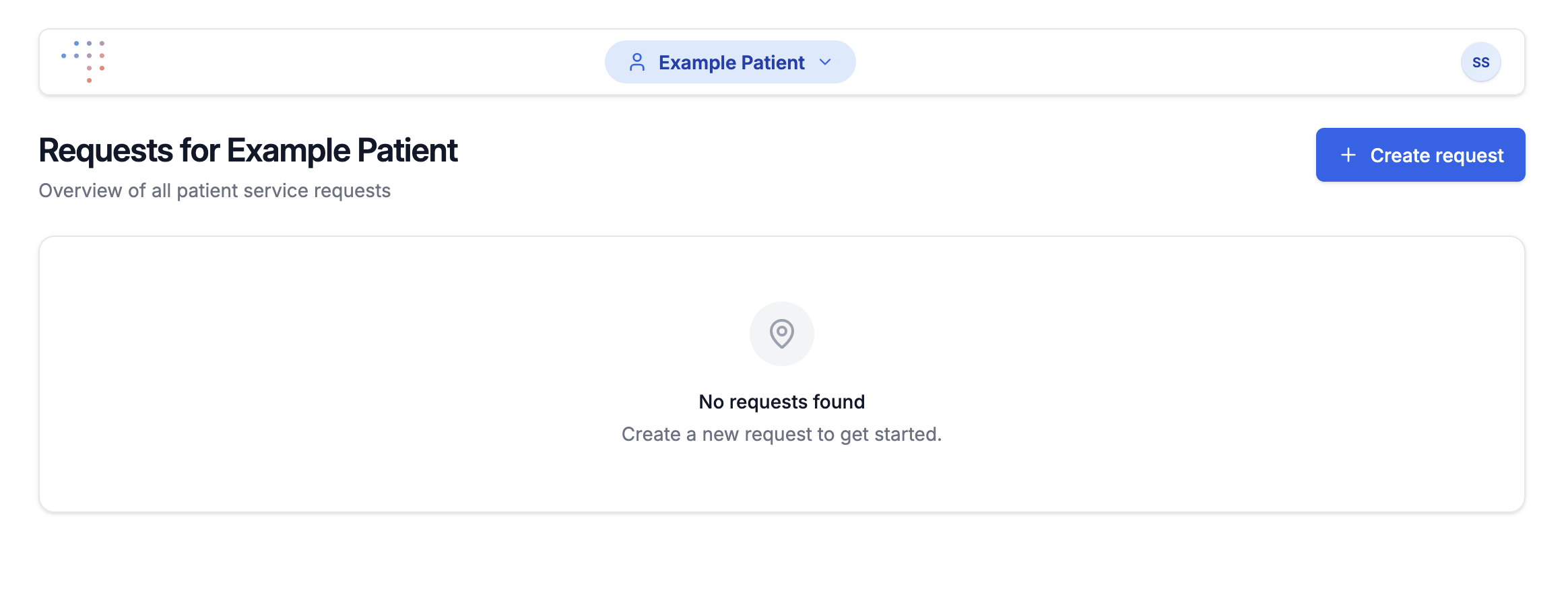
Reaching the expected Request List confirms that the SMART launch flow, OAuth2 authentication, and EHR launch context are configured correctly.
NOTE
Enabling the Create Request flow requires additional VectorCare-side configuration, handled separately. You don't need it to verify the SMART on FHIR integration itself.
Troubleshooting
Blank page, connection failure, or unresponsive launch
If the app does not load, opens to a blank page, or becomes unresponsive during launch, verify the network paths below. No network changes are needed when the app launches normally.
All traffic is HTTPS (TLS 1.2+) on port 443. If your enterprise has firewall or web traffic restrictions, you may need to allow the following domains and IP addresses.
Outbound (from your infrastructure):
| Domain | Environment | Purpose | Required From |
|---|---|---|---|
fhir-uat.vectorcare.com | Non-prod | App and JWKS endpoint | EHR authorization server, end-user workstations |
fhir.vectorcare.com | Production | App and JWKS endpoint | EHR authorization server, end-user workstations |
*.apple-mapkit.com | Both | Map rendering | End-user workstations |
fonts.gstatic.com | Both | Web fonts | End-user workstations |
Inbound (from VectorCare to your infrastructure):
VectorCare's servers make FHIR API and OAuth2 calls to your EHR endpoints from the following IP addresses:
13.56.93.191
13.56.34.202
44.235.183.156
44.237.187.110
44.238.226.200
3.137.97.122
52.14.5.45
3.143.153.56
Allowlist these IPs for inbound HTTPS (port 443) access to your FHIR R4 and OAuth2 endpoints.
TIP
If your organization uses a web proxy or SSL inspection, ensure VectorCare domains are allowlisted or exempted from certificate re-signing, as certificate pinning may cause failures.
Need help?
If you have questions or need assistance at any step, contact us or reach out to your VectorCare representative.