Create a new request
To create a new Service Request for a Patient, click the Create a request button on the Patient Request List.
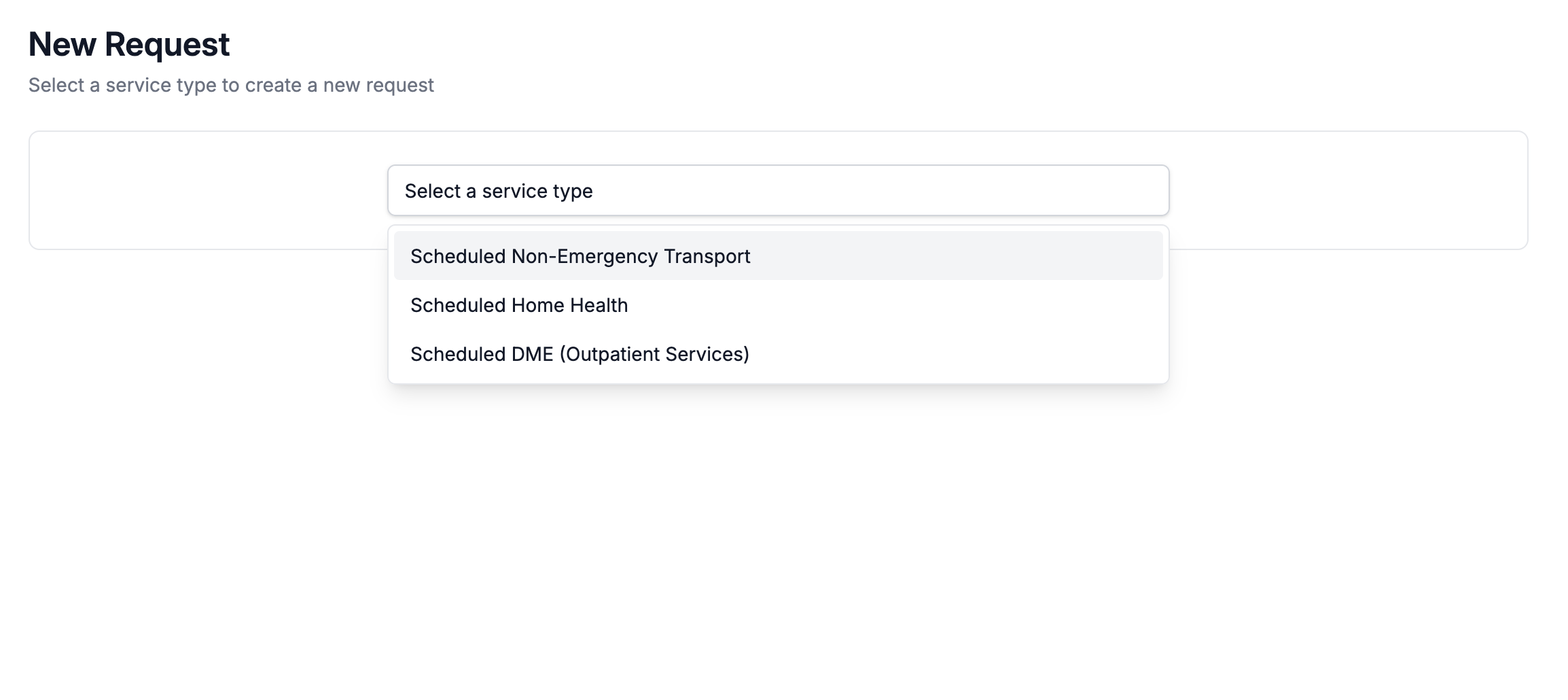
Next, select a service type from the dropdown. Depending on the access level set by your VectorCare administrator, you'll see a tailored set of options.
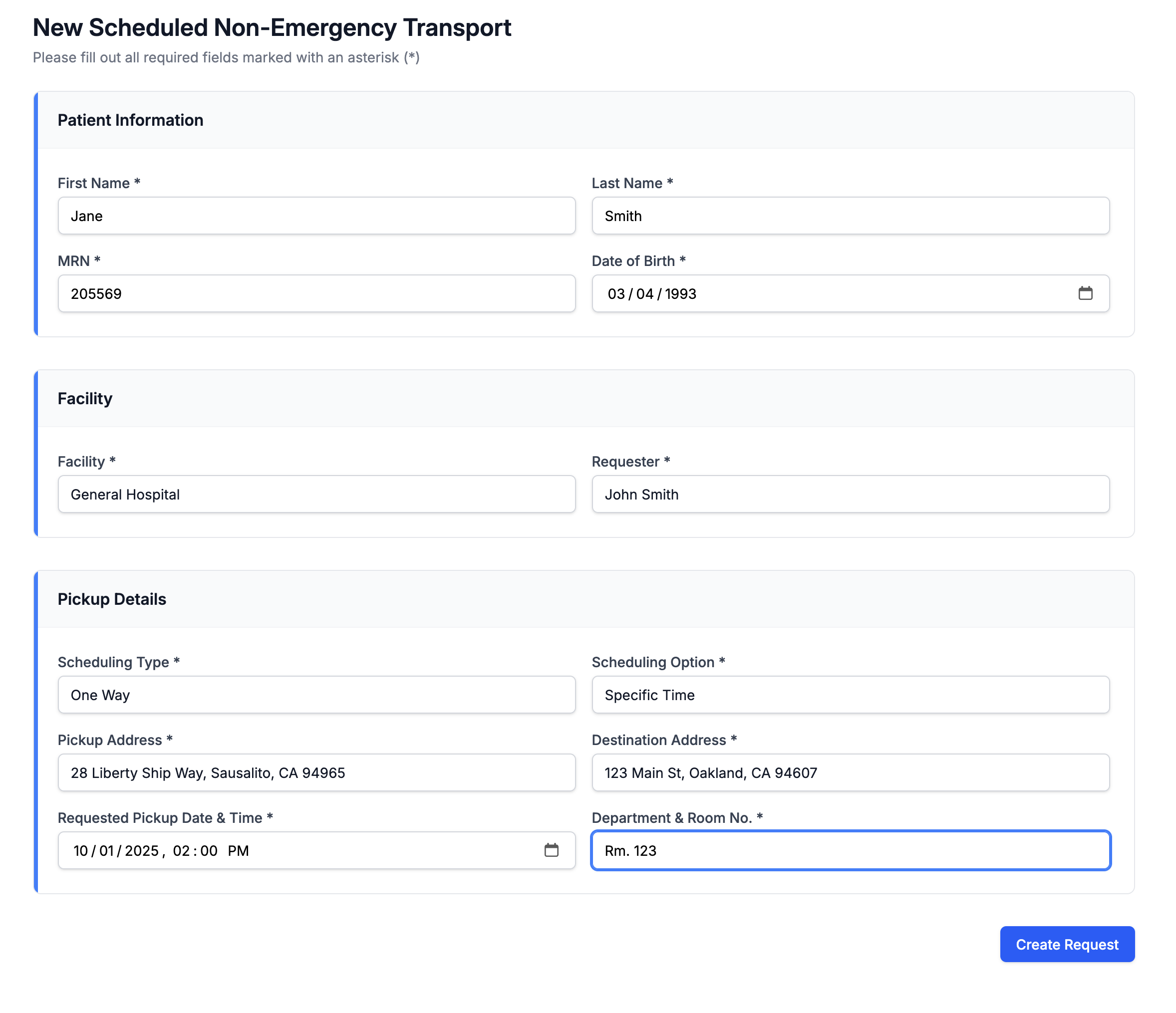
After selecting a service type, the Service Request Form appears. Many essential Patient details are pre-populated. Complete the required fields and click the Create Request button to continue.
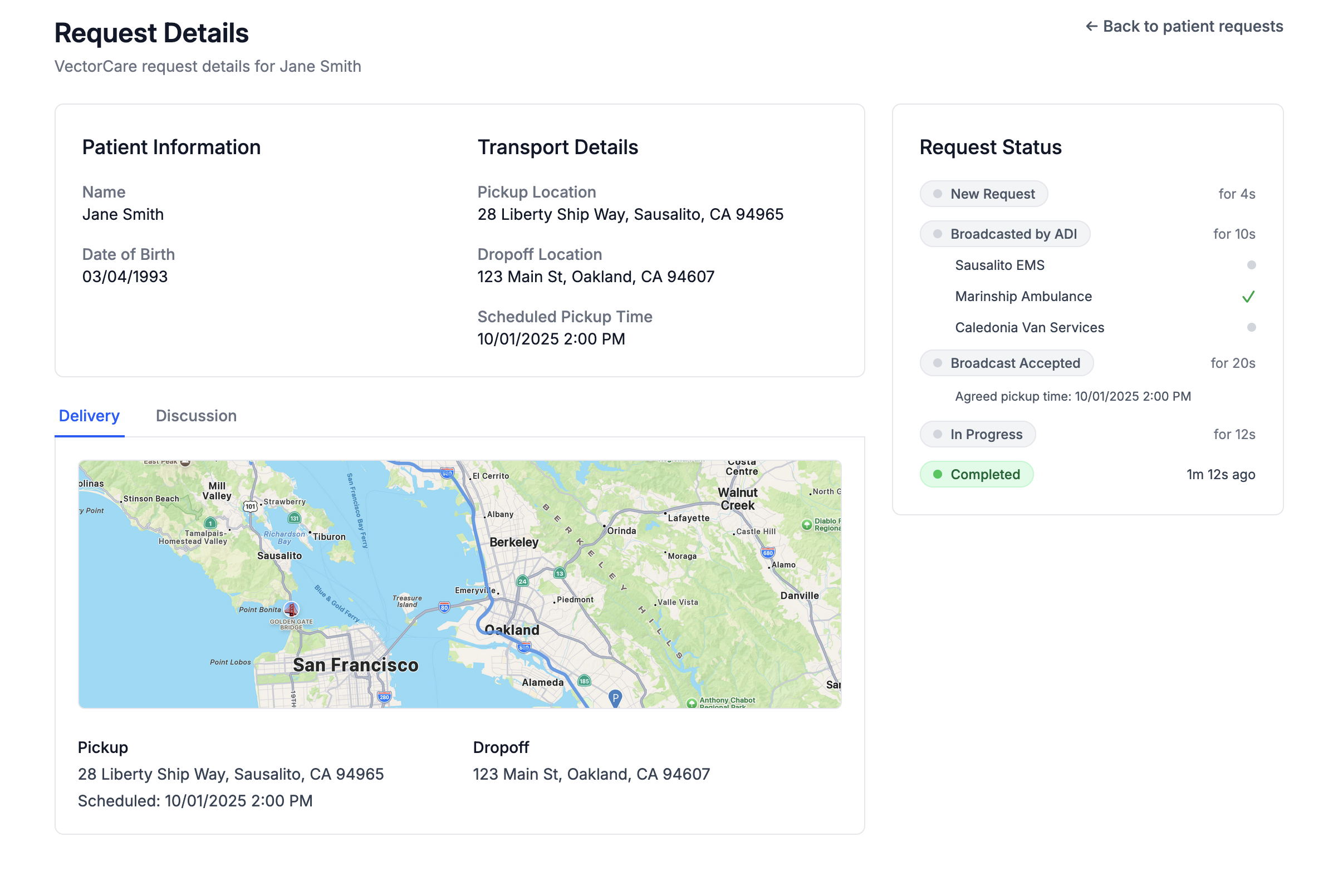
After submitting the Service Request Form, the Request Details page appears. It summarizes the request and shows status updates.